Applications and Toolbar Settings
March 21, 2020
Atollon allows you to set-up what applications users will see in the Application Launcher & what favourite applications would appear in the Toolbar.
See below how to adjust the visibility of apps & set favourite apps.
Run Application Settings
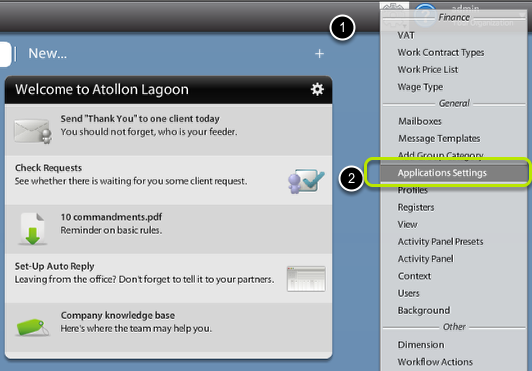
In Options & Tools menu, find Application Settings under General section.
Choose who you are adjusting the settings for
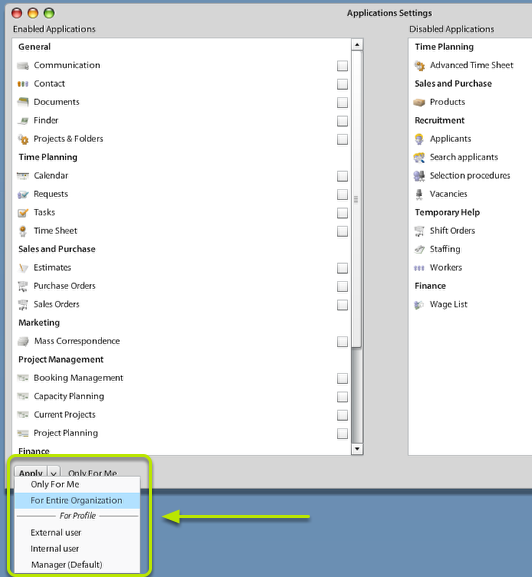
Using bottom combo field "Apply" you may select what users will be affected by Application Settings.
The options are:
- Only For Me - no other user than me will be affected
- For Entire Organization - all users from the organization will be affected (only once they don't have either personal or profile-based settings)
- For Profile (Internal, External, Manager, Consultant, etc.)- users belonging to the selected User Profile will use this setting of Applications visibility & Toolbar icons (only once they don't have their own personal settings)
Select Applications visible in Application Launcher
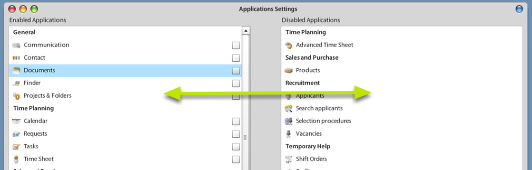
Simply by Drag & Drop select applications that will become disabled and what applications will stay enabled.
Select favourite Applications to place on Toolbar
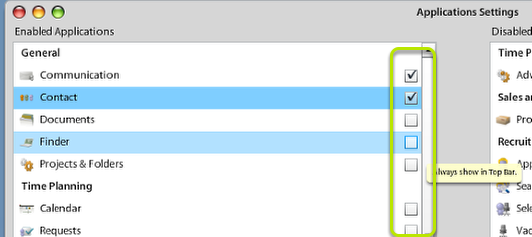
Check which applications should be always displayed in application Toolbar ...