Numbering
January 23, 2020
Numbering
Numbering settings set the Mask for any system-generated number on new Folder, Project or Estimate, Invoice, Order, etc. This Numbering mask can be assigned to Project type, for instance.
Numbering Mask
The mask is quite flexible, you can combine several system files, serial number & text strings.
For instance: "INV"YYS generates the invoice number like INV110001 for the 2011 year.
S
Serial Number
Is serial selected in Serials selected, using X number of digits defined. Serials can be shared among several Numbering Masks.
YYYY
Long Year
2011
YY
Short Year
11
O
Organization Reference Number
See Settings > Organization in MS Win client.
A
Account Reference Number
Another term for "Folder" reference number.
P
Project Reference Number
Differently also "Job Number"
R
Master Project Reference Number
Number assigned to Slave Project, based on Master Project Ref. ID
U
User Number
Not applicable
M
Month
Month identificator, ie 01 for January
Q
Quarter
Quarter identificator, ie 1 for I. Q.
Edit Numbering Settings
In order to change Numbering Settings, go to: Settings -> Numbering
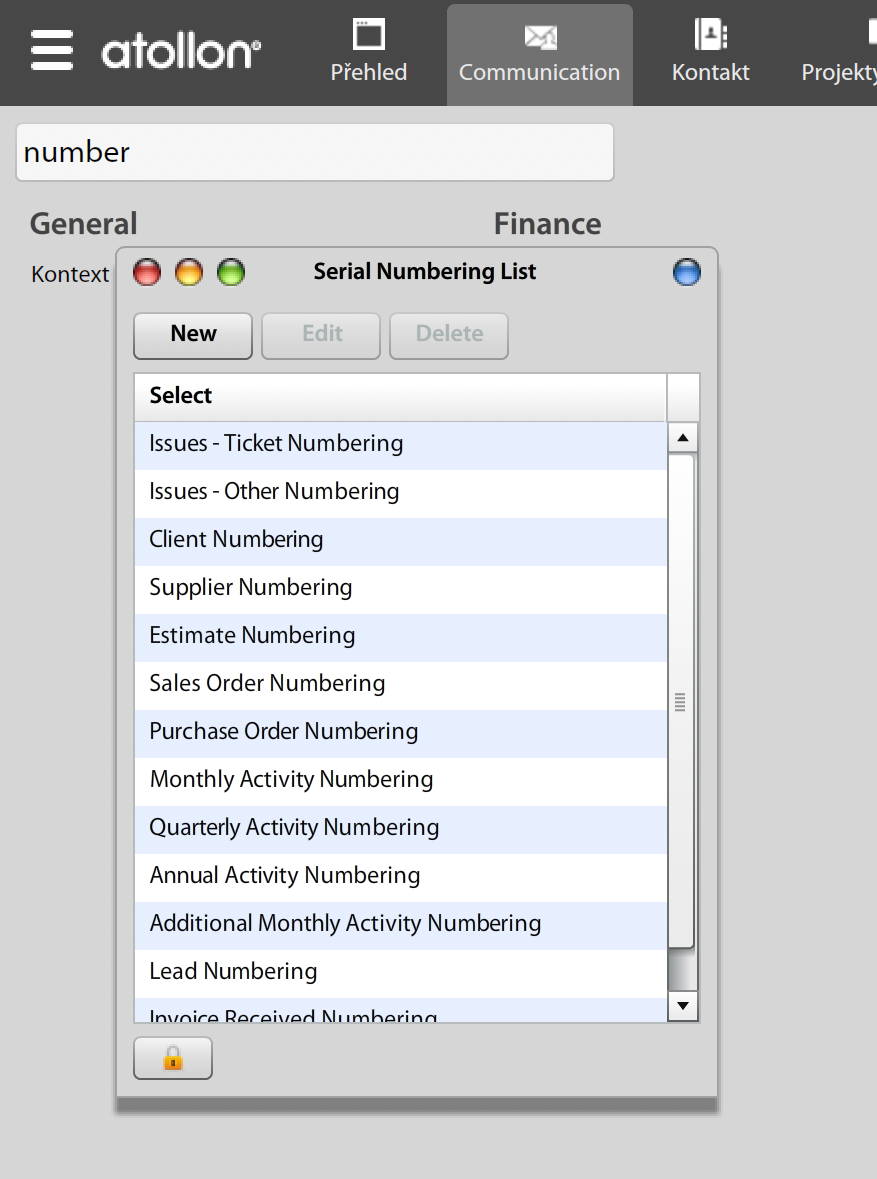
Numbering List allows you to create new numbering Mask or edit existing. When amending Numbering Mask you can set mask format and serial digits. In order to assign the Serial, go to "..." button.
Serials
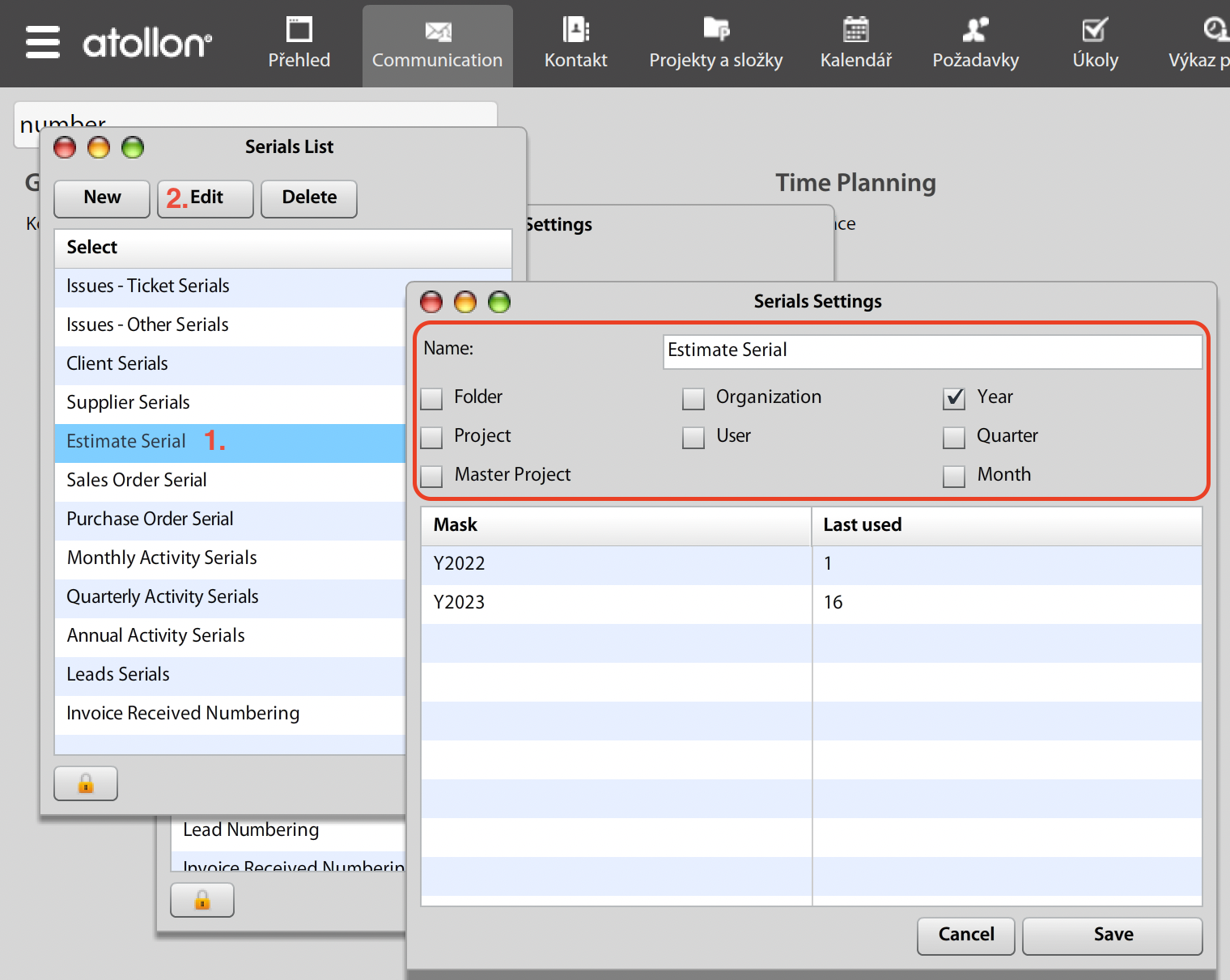
Serials are used to track last number used in Numbering. Serials allow to track several numbering sets, based on Counter Reset Criteria. You can reset the counter automatically based on Organization / Account (Folder) / Project / Master Project / Year / Quarter or Month. (User is not applicable).
Once you need to change last number used, go to Serials & amend the "Next serial" field by double-clicking on appropriate Mask row. (Please note that Next serial number displays Last used number in given Reset Criteria).
In order to amend Serials, go to: Settings -> Serials
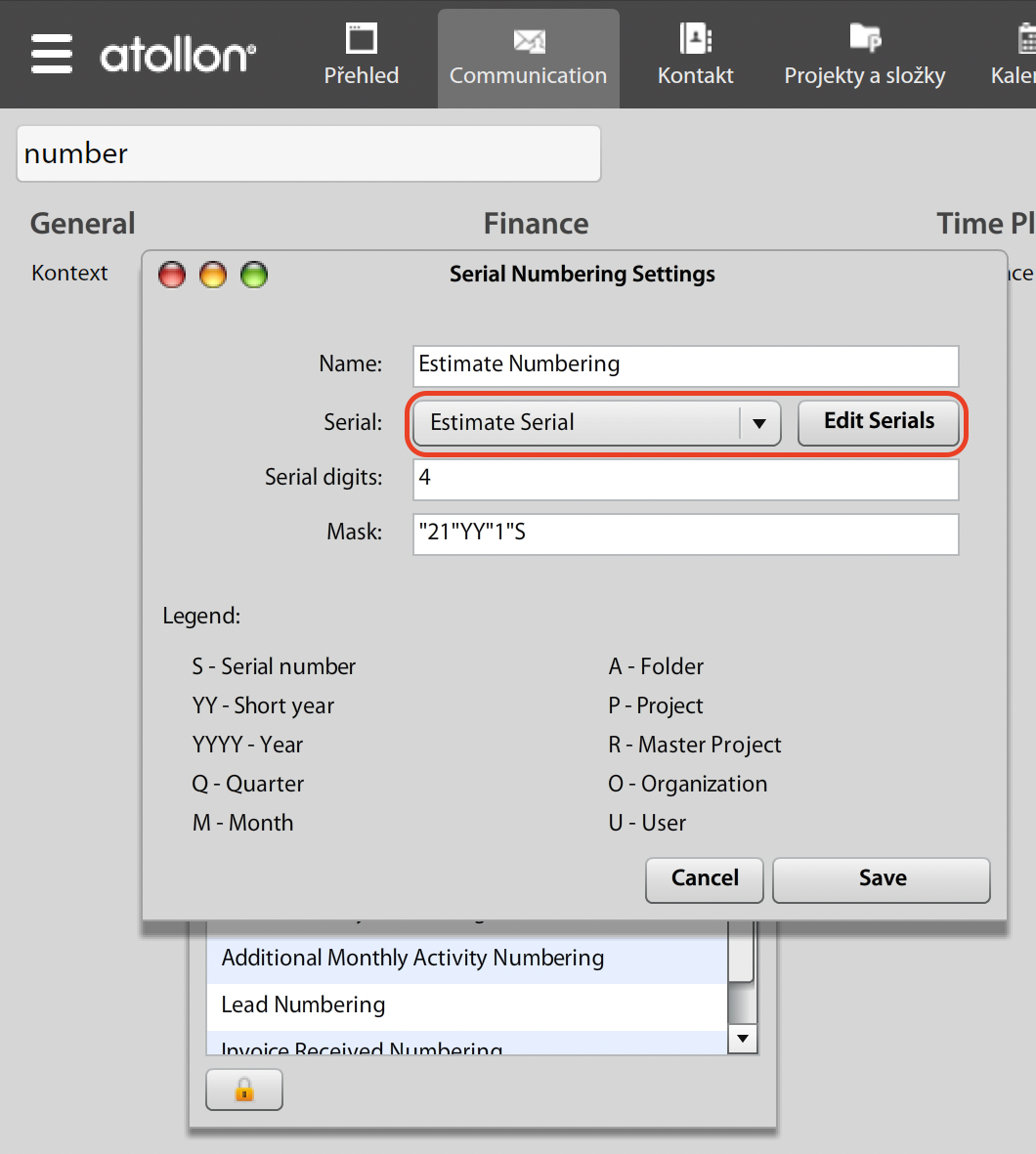
The Serial list form allows you create new Serial type or edit existing. At Edit Serial you can set "clearing period".
Location, where is possible to link numbering with:
Finance: win client settings/finance/journal
Tasks: web client Options&Tools/Type of Work Settings