Custom Applications
Custom Applications let you turn any part of your Atollon data — clients, deals, installed technology, service activities — into a purpose-built app with its own name, icon, views and filters, without writing any code.
Every business tracks different things: an agency tracks clients and campaigns, a service company tracks installed technology and service visits, a recruiter tracks vacancies and applicants. Custom Applications in Reef let an administrator package exactly the records your team works with into focused apps — Clients, Deals, Service Activities — each with its own icon in the app launcher, its own URL, and views tailored to how your team actually works. No development, no waiting for a release.
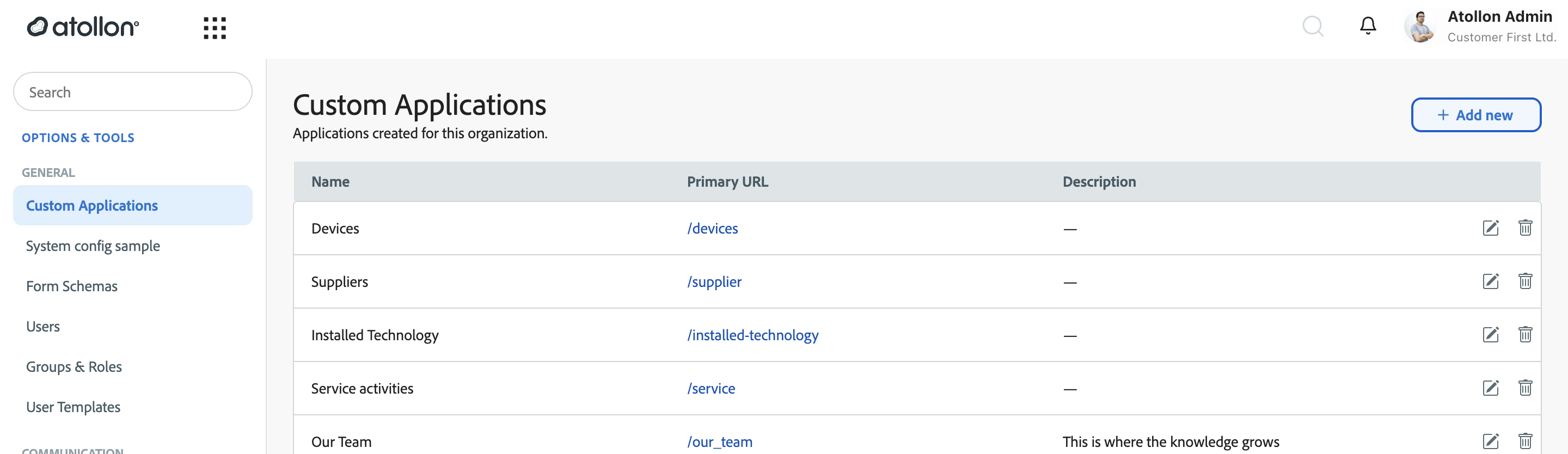
Why teams love it
- One click to the records that matter. Instead of navigating the full hierarchy, a sales rep opens the Deals app; a service technician opens Service Activities. Each app opens directly on the list of records it was built for.
- Views shaped by role, not one-size-fits-all. Each app carries multiple saved views — a manager's "All Clients" table, a rep's "My clients — overdue" list. Views can be shared organisation-wide or kept personal (see Working with views and filters).
- Your own fields, first-class. Fields from your custom forms — a "Technology Description" on installed devices, a "First Contact Date" on clients — appear as real columns and filters next to system fields, thanks to form schemas (see Managing form schemas).
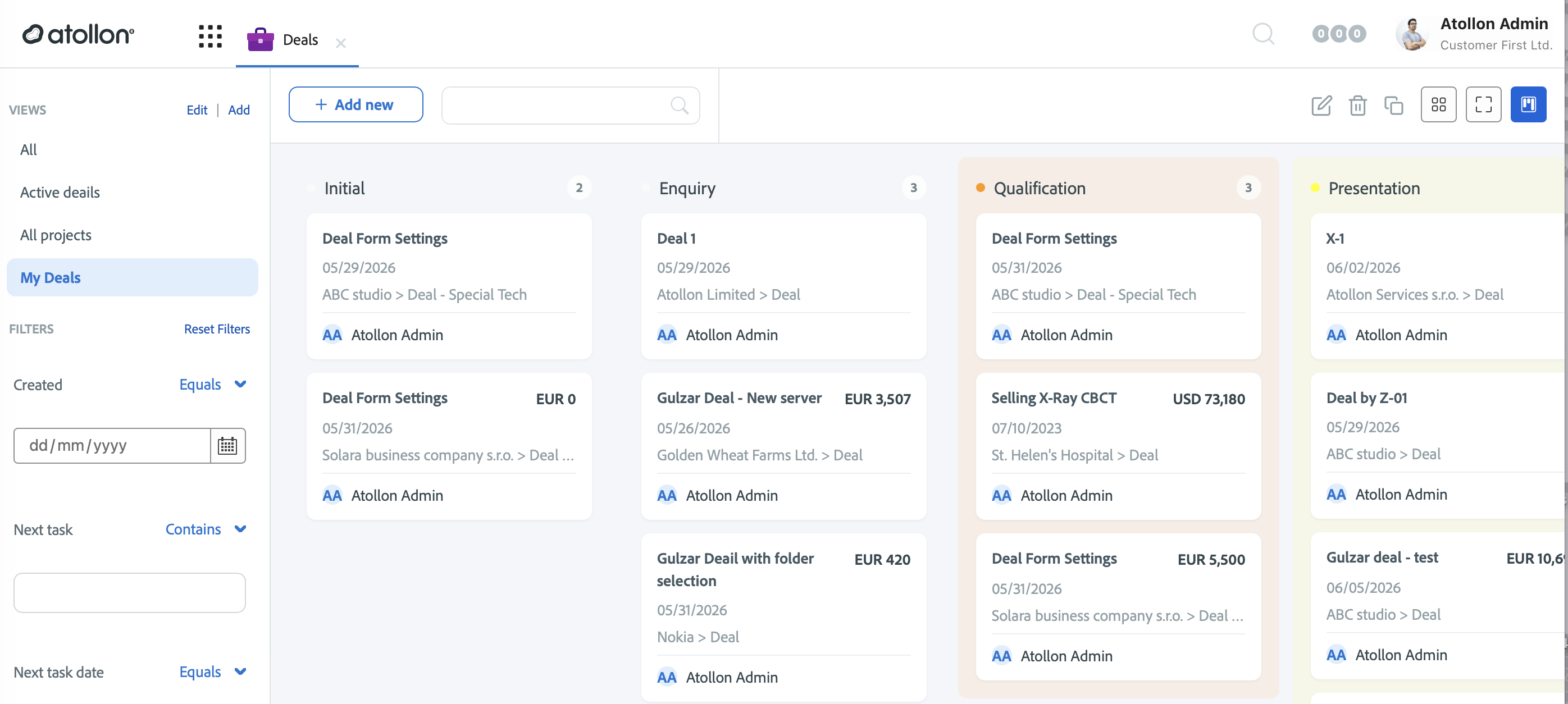
- The same record, three ways of seeing it. Lists render as a table (dense, sortable — best for working through data), as cards (visual summary — best for scanning status), or as a kanban board (records as cards in status columns — best for pipelines like Deals and Leads).
The three application types
A custom application is built on one of three record types, matching Atollon's Folder → Project → Activity hierarchy:
- Folders — Companies and people you have a lasting relationship with. Clients, Leads, Suppliers, Employees, Applicants, Partners, Property, Product Catalog.
- Projects — Work or assets that live under a folder. Deals, Delivery Projects, Provided Services, Installed Technology, Contracts, Training, Vacancies.
- Activities — Individual events and documents on a project. Service Activities, Project Milestones, Handover Protocols, Certificates.
An installed-technology service business, for example, typically runs a Clients folder app, an Installed Technology project app and a Service Activities activity app — the same underlying data, sliced for the account manager, the install coordinator and the field technician.
Who does what
- Administrators create the applications, define which fields they expose (form schemas) and prepare the shared views — see Creating a custom application, Managing form schemas and Configuring custom views.
- Users open the apps from the launcher, switch between views, filter, and save personal views for their own routine — see Working with views and filters.
Related
- Creating a custom application — admin
- Managing form schemas — admin
- Configuring custom views — admin
- Working with views and filters in custom apps — everyone